The 2026 Ergonomic Desk Height & Spatial Architecture Blueprint: Eliminate Neck Strain and Wrist Fatigue
An anatomical engineering breakdown of sitting and standing workstation heights, optical line-of-sight angles, and neutral wrist tendon mechanics.

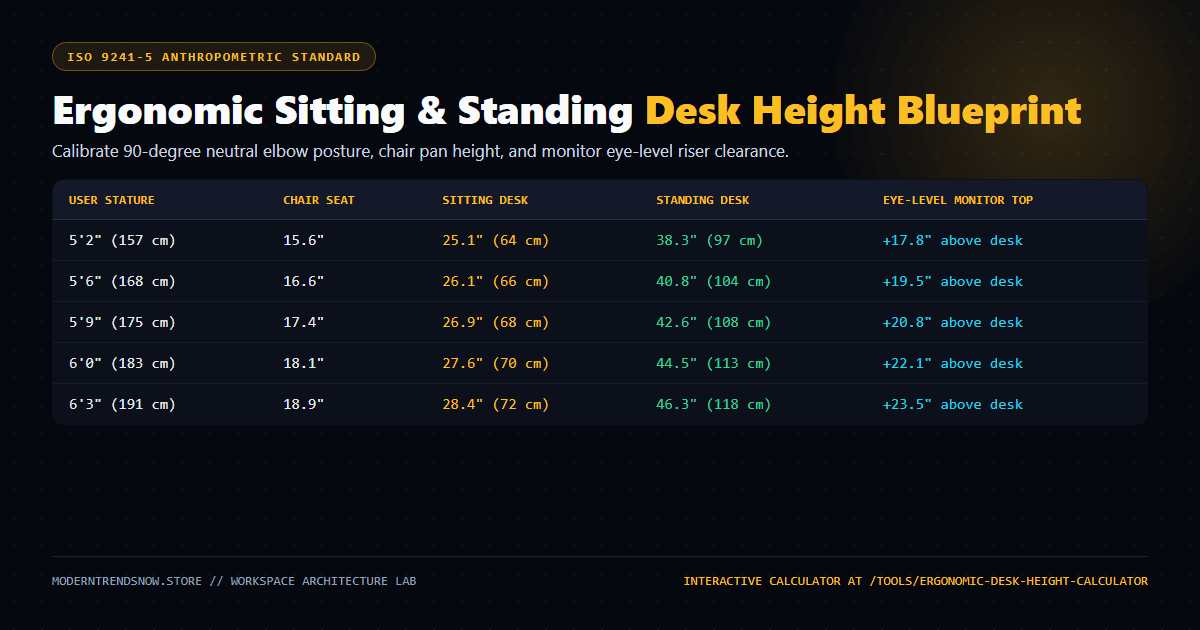
The Golden Ergonomic Desk Rule: Standard commercially sold office desks are fixed at 29 to 30 inches (74 to 76 cm), an industrial dimension originally engineered for 19th-century mechanical typewriters. For over 85% of modern computer users, this height forces the shoulders into continuous elevation (trapezius fatigue) and tilts the wrists into severe extension. To achieve neutral zero-strain alignment:
- Seated Desk Height: Should match your resting elbow height (typically 24 to 28 inches for adults between 5ft 2in and 6ft 2in).
- Standing Desk Height: Measure floor to bent elbow; subtract 1 inch for keyboard deck height.
- Monitor Height: Top third of active pixels must level with horizontal gaze, angled back 10 to 15 degrees.
The Anatomy of Desk Height: Why 29 Inches Fails 85% of Adults
Every human body possesses unique anthropometric proportions: femur length, torso height, and humerus-to-forearm ratios. Yet, the global contract furniture industry settled on a single standard desktop height of 29.5 inches (75 cm) during the mid-20th century.
According to anthropometric data compiled by the Human Factors and Ergonomics Society (HFES), a 29.5-inch fixed desk fits only individuals who stand approximately 6 feet 2 inches (188 cm) or taller. When someone measuring 5 feet 8 inches sits at a 29.5-inch surface, two compensation injuries inevitably occur:
- Shoulder Shrugging (Trapezius Hypertonicity): To bring forearms parallel to the elevated desk surface, the upper trapezius and levator scapulae muscles must remain semi-contracted all day, resulting in tension headaches, cervicogenic pain, and thoracic outlet pressure.
- Wrist Extension (Carpal Tunnel Compression): If the chair is lowered so feet touch the floor, the keyboard sits above elbow level. The user rests palms on the desk edge, bending wrists backward at a 25-degree extension angle, pinching the median nerve inside the carpal tunnel canal.
Complete 2026 Ergonomic Height Matrix (5ft 0in to 6ft 4in)
Below is the master calibration chart developed using ISO 9241-5 and OSHA workstation principles. Values assume wear of standard flat shoes (0.75-inch sole).
| User Height | Seated Desk Height | Standing Desk Height | Monitor Center Level |
|---|---|---|---|
| 5ft 0in (152 cm) | 22.5 - 23.5 in | 37.0 - 38.5 in | 39.0 in from floor |
| 5ft 4in (163 cm) | 24.0 - 25.0 in | 39.5 - 41.0 in | 42.0 in from floor |
| 5ft 8in (173 cm) | 25.5 - 26.5 in | 42.0 - 43.5 in | 45.0 in from floor |
| 5ft 10in (178 cm) | 26.5 - 27.5 in | 43.5 - 45.0 in | 46.5 in from floor |
| 6ft 0in (183 cm) | 27.5 - 28.5 in | 45.0 - 46.5 in | 48.0 in from floor |
| 6ft 4in (193 cm) | 29.0 - 30.5 in | 47.5 - 49.0 in | 51.0 in from floor |

Optical Line-of-Sight & Cervical Spine Mechanics
The average adult head weighs between 10 and 12 pounds (4.5 to 5.4 kg) in a neutral vertical posture. Research published by spine surgeon Dr. Kenneth Hansraj demonstrated that when the neck flexes forward by just 15 degrees, gravitational force across the cervical vertebrae spikes to 27 pounds (12 kg). At 30 degrees, it hits 40 pounds (18 kg).
When monitors rest flat on standard desk surfaces, users look downward at a 25 to 35 degree angle. Over months of 8-hour daily coding or writing sessions, this produces chronic "text neck", disc degeneration, and suboccipital muscular spasms.
The architectural solution is simple: raise the display using a rigid aluminum monitor shelf (such as our Curved Matte Black Aluminum Monitor Riser Shelf) so that your resting horizontal eye line intersects the upper 30% border of the monitor glass. Using an elevated Solid Hardwood Dual Monitor Riser Shelf raises displays to this exact horizon without wobbly monitor arms.
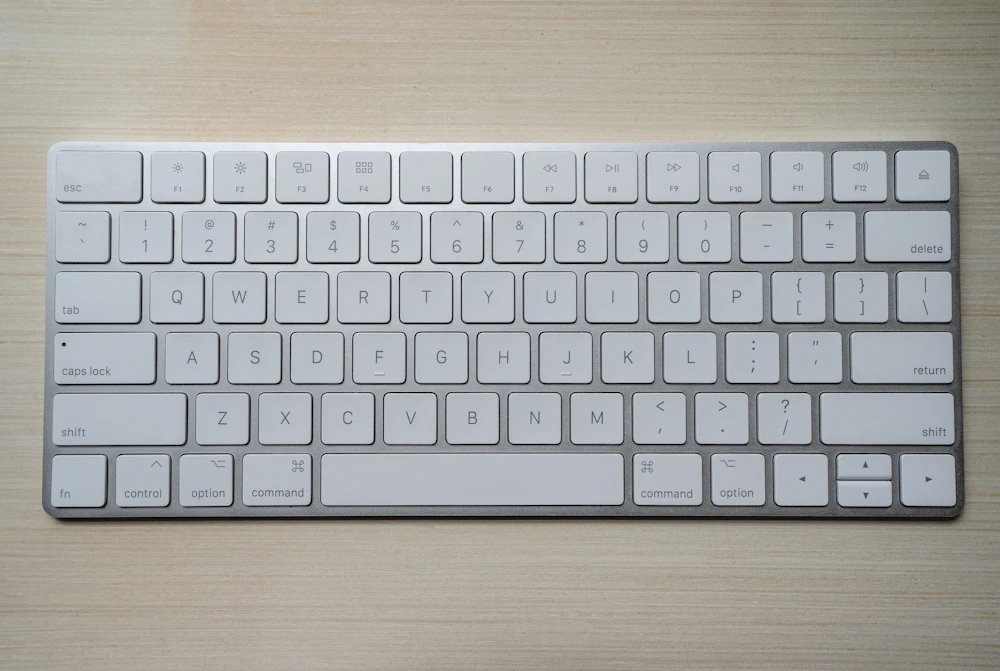
Carpal Tunnel Prevention & Split Wrist Support
Modern mechanical keyboards feature thick cases and Cherry/Gateron switch profiles that sit anywhere from 18mm to 24mm above the desk mat. Resting bare wrists on the desk surface while typing on high-profile mechanical switches forces wrists into severe upward angle extension (dorsiflexion).
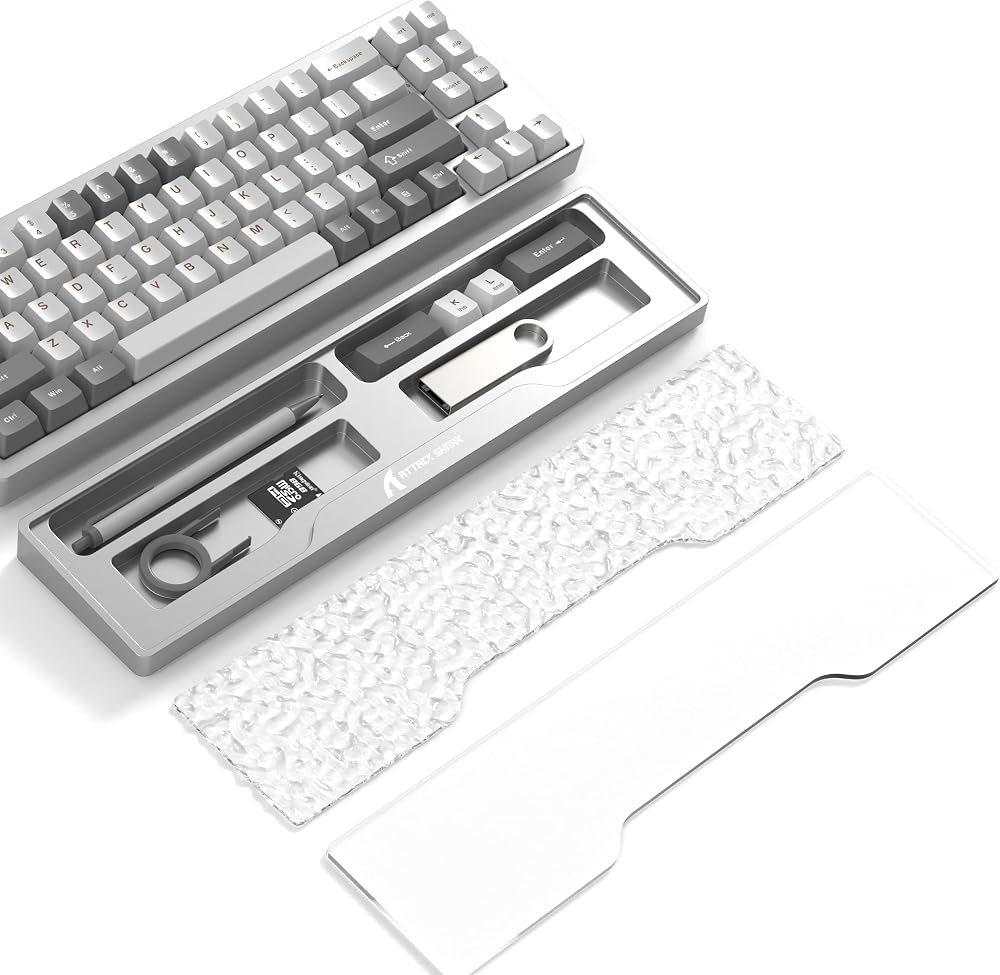
By introducing a precision-machined Aerospace Aluminum Split Wrist Rest, you bridge that 18mm elevation delta. The palm rests gently on a smooth anodized bead-blasted surface while the finger pads drop naturally onto keycaps in a relaxed, neutral arc, completely decompressing the transverse carpal ligament. For maximum forearm comfort, pair your desk with a tactile surface from our Leather vs Suede Desk Mat Comparison.

Under-Desk Kinetic Flow & Cable Articulation
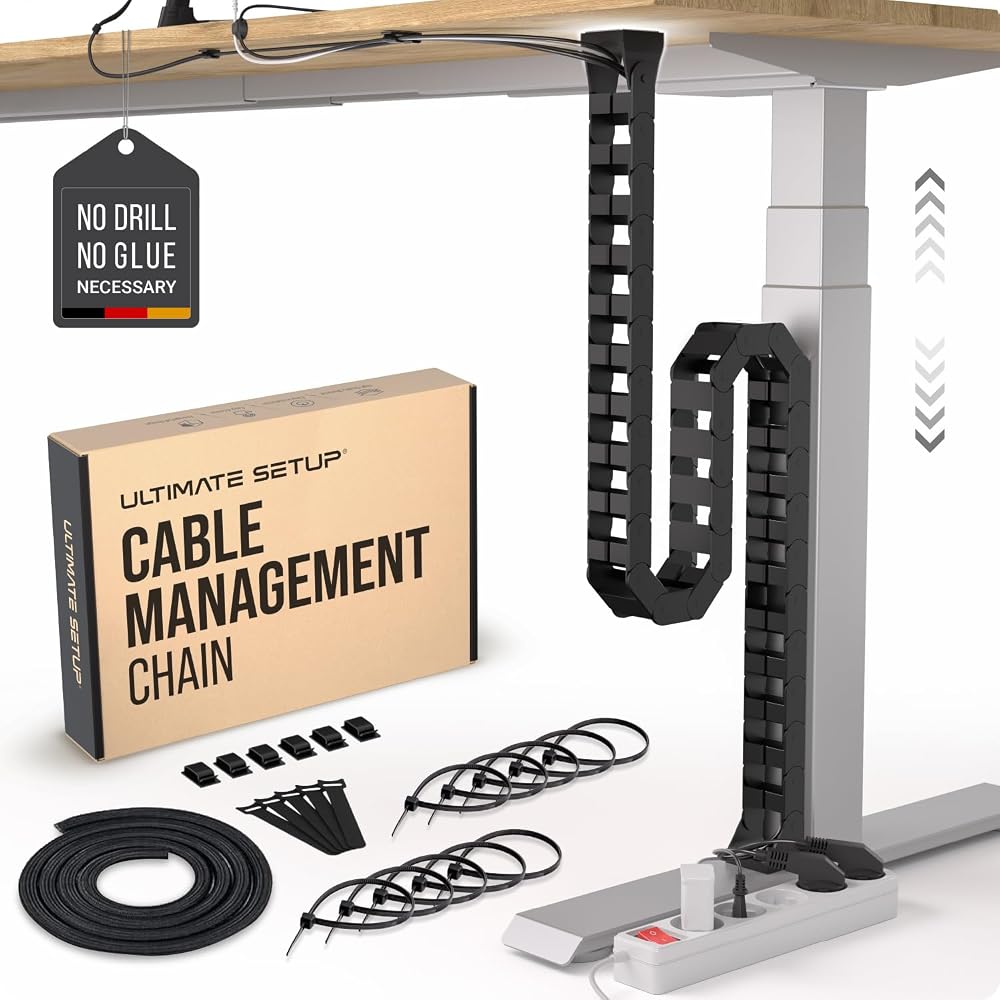
Standing desks present a mechanical challenge that static desks never faced: vertical travel range. When an electric sit-stand desk moves through 18 inches of vertical travel, rigid zip-ties and cheap adhesive clips yank power bricks, unplug monitor display cables, or drape cords in messy floor loops.
An Articulated Magnetic Under-Desk Cable Organizer uses independent vertebral quad-channels that snake effortlessly up and down. The magnetic mounting base anchors firmly to steel desk legs without drilling, maintaining a pristine, architectural zero-cable aesthetic at all heights.
⚡ Interactive Setup Recommendation
Want to test how these physical objects harmonize together on your exact desk dimension? Use our interactive 3-Piece Setup Studio to bundle monitor risers, split wrist rests, and ambient optical light bars with live price calculation:
Launch Interactive 3-Piece Setup Studio →Related Engineering Blueprint:
Once your sit-stand desk is set to the correct ergonomic height, prevent power cables from tearing out during elevation with our comprehensive wire management guide.
Read The Standing Desk Cable Management Tray Blueprint →Scientific References & Industry Standards
- [1] OSHA Computer Workstations eTool: Evaluation Checklist & Anthropometry (osha.gov)
- [2] ISO 9241-5:1998 Ergonomic Requirements for Office Work with Visual Display Terminals (iso.org)
- [3] Hansraj KK. Assessment of Stresses in the Cervical Spine Caused by Posture and Position of the Head. Surg Technol Int. 2014;25:277-279.
- [4] Cornell University Ergonomics Web (CUErgo): 10 Principles of Ergonomic Workstation Design (cornell.edu)
Solving the 29-Inch Fixed Desk Problem Without Buying a New Desk
Most fixed home-office desks measure 29.0 to 30.0 inches high, a legacy drafting dimension built for individuals taller than 6 feet 1 inch wearing hard-soled shoes. For an average-stature user between 5 feet 4 inches and 5 feet 10 inches, typing directly on a 29-inch surface without adjustment forces subtle trapezius shrugging and repetitive wrist extension at the carpal tunnel.
When replacing the entire desk frame is not practical, apply a three-step geometric correction: first, raise your pneumatic chair cylinder until your elbows sit 0.5 inches above keyboard home-row elevation while keeping shoulders relaxed. Second, fill the resulting floor gap beneath your heels with an angled ergonomic footrest so thighs stay horizontal and popliteal circulation behind the knee remains unrestricted. Third, pair an aerospace aluminum wrist rest with a low-profile 75% mechanical keyboard so hand posture holds a neutral 0 to 5 degree slope.
Use the interactive Ergonomic Desk Height Calculator below to compute your exact sitting height, standing preset, and monitor riser clearance, or open the standalone Ergonomic Desk Height Calculator page to bookmark your workstation preset.
Ergonomic Desk Height & Eye-Level Calculator
ISO 9241-5 & ANSI/BIFMA G1 Anthropometric Ratio Engine
68.6 cm for 90 deg neutral elbows.
109 cm at total height 176 cm.
Knees at 90-100 deg, feet flat on floor.
Add a 2.5" (6 cm) desk shelf/riser.
A fixed 29" office desk is 2" too high for your seated elbow geometry. Raise your chair by 2" and place a 2" footrest under your feet, or switch to a sit-stand desk set to 27".
Benchmarked against ISO 9241-5, ANSI/BIFMA G1, and IES RP-1 lighting and ergonomic engineering standards.
Researches biomechanics, optical lux physics, and architectural desktop ergonomics. Founder of Modern Trends Now and passionate advocate for clutter-free creative workspaces.
 Top Pick Riser
Curved Matte Black Aluminum Monitor Riser Shelf
“4mm heavy aircraft aluminum eliminates forward cervical spine flexion by lifting displays exactly 3.8 inches to natural eye level.”
 Ergonomic Essential
Aerospace Aluminum Ergonomic Split Wrist Rest
“Dual-piece split anodized aluminum eliminates ulnar deviation and wrist extension fatigue during marathon typing sessions.”
 Space Optimization
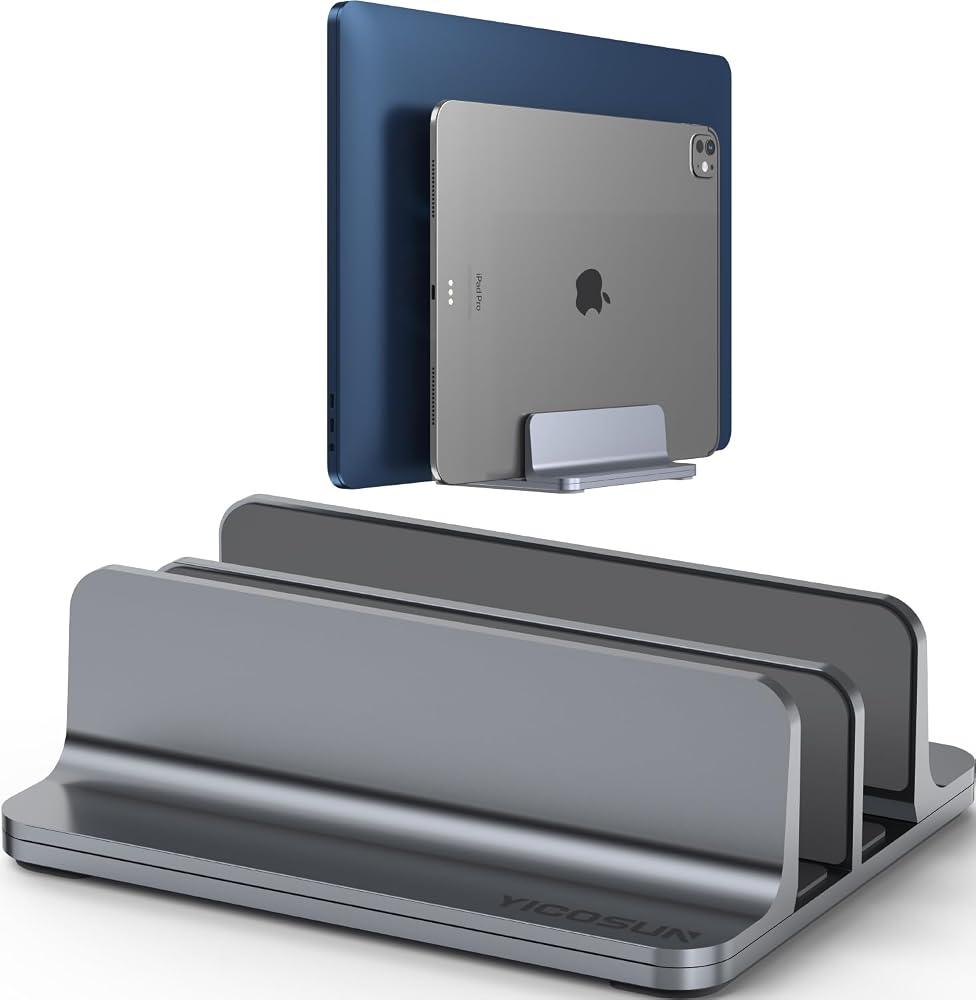
Dual-Slot CNC Aluminum Vertical Laptop Stand
“Heavy CNC aluminum dock frees up 80 square inches of desktop space while maximizing passive heat dissipation.”
 Cable Architecture
Articulated Magnetic Under-Desk Cable Organizer
“Articulated magnetic vertebrae channel flexes seamlessly with standing desk transitions without snagging power leads.”
Expert Architectural Q&A
What is the correct height for a standing desk if I am 5ft 10in tall?
For an individual measuring 5 feet 10 inches (178 cm), ideal standing desk height is between 43.5 inches and 45.0 inches (110 to 114 cm). Your elbows should rest bent at a 90 to 100 degree open angle with wrists completely flat on your keyboard surface.
How high should my monitor be placed on my desk?
The top third of your monitor screen should sit at exact horizontal eye level. When looking straight ahead, you should gaze across the top bezel of the screen. This allows your eyes to gaze downward at a natural 10 to 15 degree angle across the rest of the display, preventing cervical neck strain.
Do monitor risers actually help with neck and back pain?
Yes. Clinical studies show that elevating computer screens by 3 to 4 inches using a rigid riser shelf reduces forward neck flexion from 30 degrees down to 0 to 10 degrees, reducing cervical spine gravitational load from 40 lbs down to a natural 10 to 12 lbs.
Should my elbows be at 90 degrees or straight while typing?
Your elbows should form an angle between 90 degrees and 105 degrees (slightly open), with upper arms resting relaxed against your torso. Your forearms should run parallel to the floor, never reaching upward or slumping downward.
Should keyboard tray height match or sit slightly lower than desk height?
For neutral wrist alignment, an under-desk articulating keyboard tray positioned 1 to 1.5 inches below elbow height allows a slight downward slope (-5 to 0 degrees), reducing median nerve compression on the carpal tunnel.
Official Literature & Benchmarks
Modern Trends Now architectural guides are synthesized from verified industrial standards, peer-reviewed ergonomic datasets, and international regulatory testing frameworks.
Model exact desk height, monitor load, mat sizing, and standing cable slack.
Open All 4 Desk CalculatorsContinue Reading Field Guides

Standing Desk Cable Management Tray Blueprint: How to Route Power and Data with Zero Sag at Full Height

Monitor Light Bar vs Traditional Desk Lamp: The Optical Physics of Asymmetric Beam Lighting and Eye Fatigue
Leather vs Suede: Material Science, Durability, and Desk Mat Performance Breakdown
