Mechanical Keyboard Switch Types & Acoustic Desk Dampening: The Complete Engineering Guide to "Thock" Sound
An acoustical engineering breakdown of spring resonance, POM stem friction, high-density felt desk dampening, and the physics of lower-frequency acoustic signatures.


Executive Summary & Acoustic Profiles: The Physics of "Thock"
In modern software engineering and typing-intensive creative disciplines, the mechanical keyboard is not merely an input peripheral: it is the primary physical interface through which tens of thousands of tactile feedback loops occur each day. Over the past decade, keyboard design has evolved from loud, rattly gaming peripherals into high-precision acoustic instruments engineered for acoustic resonance suppression.
In mechanical keyboard terminology, sound profiles fall into two diametric acoustic categories:
Characterized by sharp, plasticky, hollow strikes. Caused by thin ABS keycaps bottoming out directly onto rigid steel top plates inside uninsulated plastic cases with hollow air cavities.
Characterized by a deep, muted, marble-like bass drop. Achieved through high-density double-shot PBT keycaps, pre-lubed POM switch stems, flexible FR4/POM plates, gasket mounting, and multi-layer Poron acoustic foam dampening.
Switch Mechanism Physics: Linear vs Tactile vs Clicky
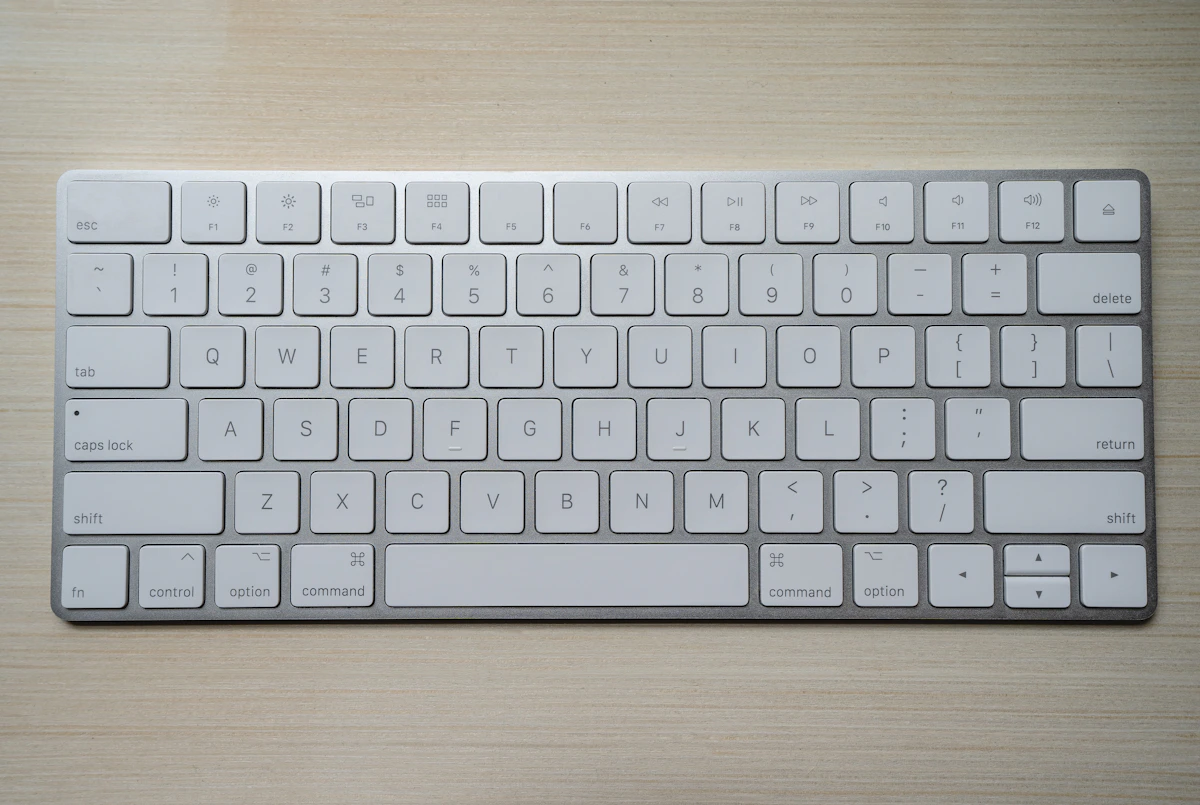
The source of all keyboard sound begins at the switch slider and leaf contact. Mechanical switches operate through three primary mechanical architectures:
- Linear Switches (Red, Yellow, Black): A smooth, uninterrupted vertical travel from top to bottom. With zero tactile bump or click leaf, linear switches produce sound purely from the stem bottoming out against the housing bottom floor and springing back against the top housing. When factory pre-lubricated with Krytox 205g0 grease, linear switches produce the deepest, quietest "thock".
- Tactile Switches (Brown, Panda, Gateron Moss): Feature an engineered mechanical bump midway through keystroke travel, providing physical actuation confirmation without an audible click leaf. Sound is slightly more textured than linears, producing a satisfying tactile snap without disturbing office colleagues.
- Clicky Switches (Blue, Green, White): Utilize a click jacket or click bar that snaps downward during actuation, generating a high-pitched 3.5 kHz metallic click. While popular for initial typing feedback, clickies register 68 to 78 dB on sound meters, causing rapid acoustic fatigue in shared home offices and open workplaces.

Case Resonance, Plate Materials & Silicone Dampening
Even the highest-end switches will sound tinny and hollow if mounted in a poorly insulated keyboard case. A keyboard case acts exactly like an acoustic guitar body: it amplifies harmonic resonance.
To achieve acoustic excellence, modern boards like the NuPhy Air75 v2 employ a three-tier sound dampening stack:
- 1. Plate Material Flexibility: Moving from rigid steel or brass plates to flexible FR4 (fiberglass) or POM (polyoxymethylene) plates lowers resonant vibration frequencies by over 40%.
- 2. Gasket Mounting: Rather than screwing the PCB directly into the hard case, the plate assembly rests on soft silicone or Poron foam gaskets, absorbing mechanical shock before it transmits into the desk.
- 3. Case Acoustic Cavity Elimination: Precision molded bottom silicone dampening pads eliminate the open air chamber inside the case, stopping sound waves from echoing.

Keycap Profiles (Cherry vs OEM vs SA) & High-PBT Density
The final acoustic boundary is the keycap itself. Keycap material density and internal volume directly shape strike timbre:
| Material / Profile | Wall Thickness | Acoustic Pitch | Longevity & Texture |
|---|---|---|---|
| Double-Shot PBT (1.5mm) | 1.5mm to 1.6mm | Deep Low-Pitch Thock (350 Hz) | Zero shine, textured matte finish |
| Standard ABS Keycaps | 0.8mm to 1.0mm | High-Pitch Clack (2.2 kHz) | Develops shiny finger polish within months |
| Cherry Profile | Medium Height | Balanced acoustic resonance | Industry gold standard for typing ergonomics |
| SA / MT3 Profile | High Spherical | Maximum internal bass cavity ("Thud") | Requires elevated wrist rest for comfort |
The 5-Layer Acoustic Equation Behind Clean Low-Frequency Thock
Achieving a deep, marble-like 300Hz-600Hz mechanical sound profile without offensive high-pitched clack requires treating five coupled vibration boundaries together rather than swapping switches in isolation.
First, thick double-shot PBT keycaps (1.5mm to 1.7mm wall thickness) exhibit higher structural mass and lower resonant ringing than thin ABS plastic caps. Second, gasket-mount silicone socks isolate the switch plate from contacting rigid aluminum bottom cases, preventing chassis ping during bottom-out keystrokes. Third, flexible polycarbonate or FR4 switch plates soften harsh impact harmonics compared to stiff brass plates.
Fourth, Poron plate foam combined with an IXPE switch pad filters hollow cavity echo inside the case. Fifth, and most underestimated, the desk surface underneath acts like an acoustic guitar soundboard: bare solid wood or glass amplifies sharp treble transients, whereas a 4mm to 5mm leather-and-felt XXL desk pad damps substrate transmission by 4 to 7 dB on condenser microphones during Zoom calls and coding streams.
Why 75% Wireless Keyboards Dominate Modern Ergonomics
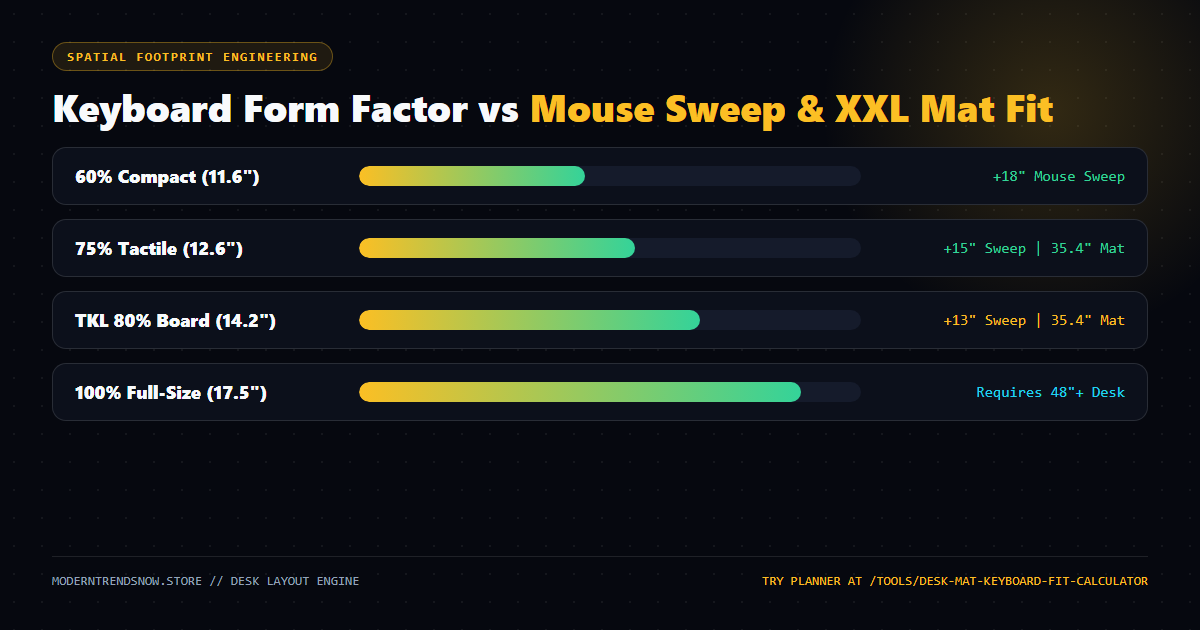
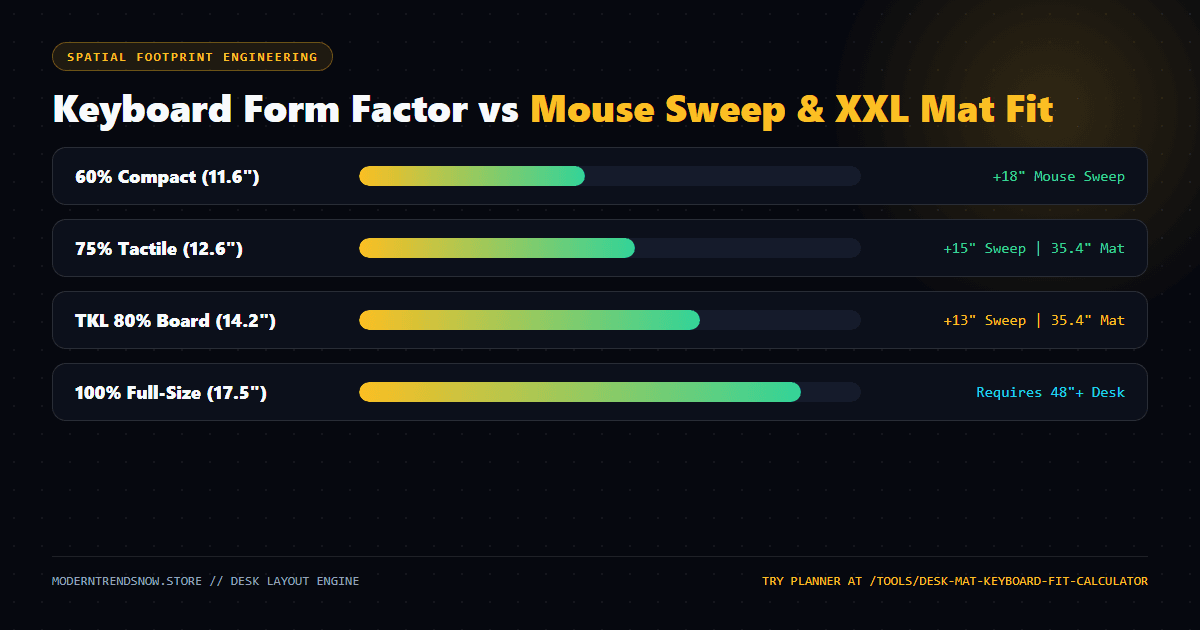
Full-size 100% keyboards force right-handed mouse users nearly 5 inches further outward from body centerline, creating chronic external shoulder rotation over 8-hour workdays. Compact 75% gasket boards (such as low-profile aluminum or rotary-knob wireless keyboards) preserve the dedicated function row and arrow cluster while trimming nearly 5 inches off the right edge. Use the interactive Desk Width, Keyboard & XXL Mat Fit Planner below to model your exact keyboard and mouse sweep geometry.
Acoustic & Ergonomic Standards
- [1] ANSI/ASA S12.60 Acoustic Performance Criteria and Workplace Noise Levels (asastandards.org)
- [2] ISO 9241-410 Physical Input Devices Ergonomic Testing Standards (iso.org)
- [3] OSHA Occupational Noise Exposure Guidelines (osha.gov)
Desk Width, Keyboard & XXL Desk Mat Fit Planner
Millimeter-Accurate Workspace Footprint & Clearance Verifier
Covers keyboard (12.6") + 13" mouse sweep cleanly.
Keyboard + unrestricted horizontal mouse pad travel.
Balanced symmetrical framing achieved.
Benchmarked against ISO 9241-5, ANSI/BIFMA G1, and IES RP-1 lighting and ergonomic engineering standards.
Researches biomechanics, optical lux physics, and architectural desktop ergonomics. Founder of Modern Trends Now and passionate advocate for clutter-free creative workspaces.
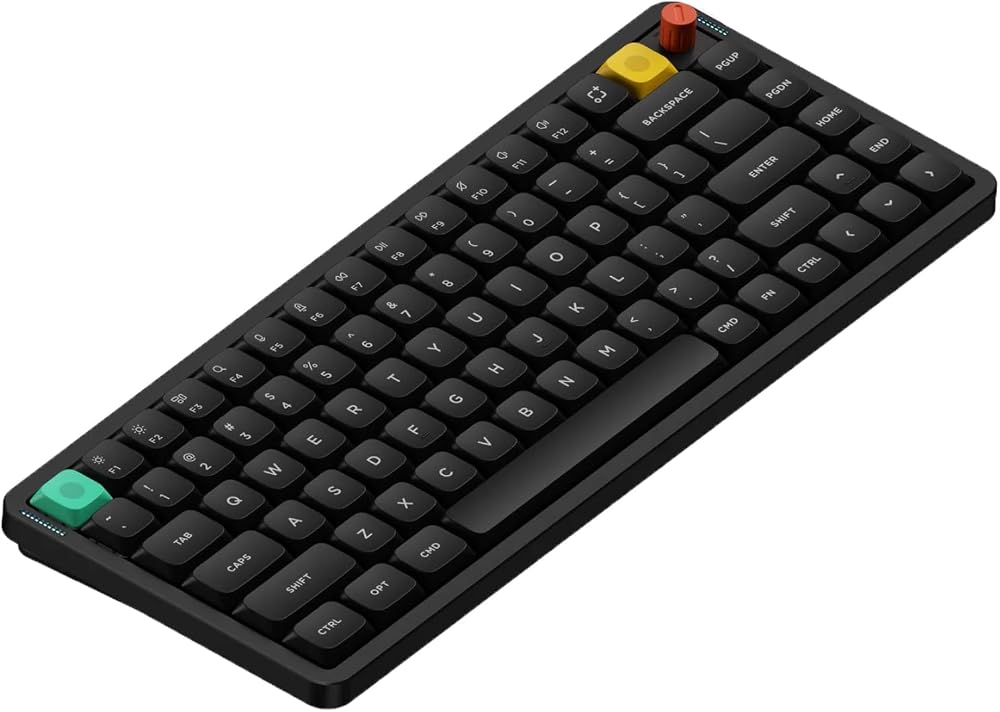
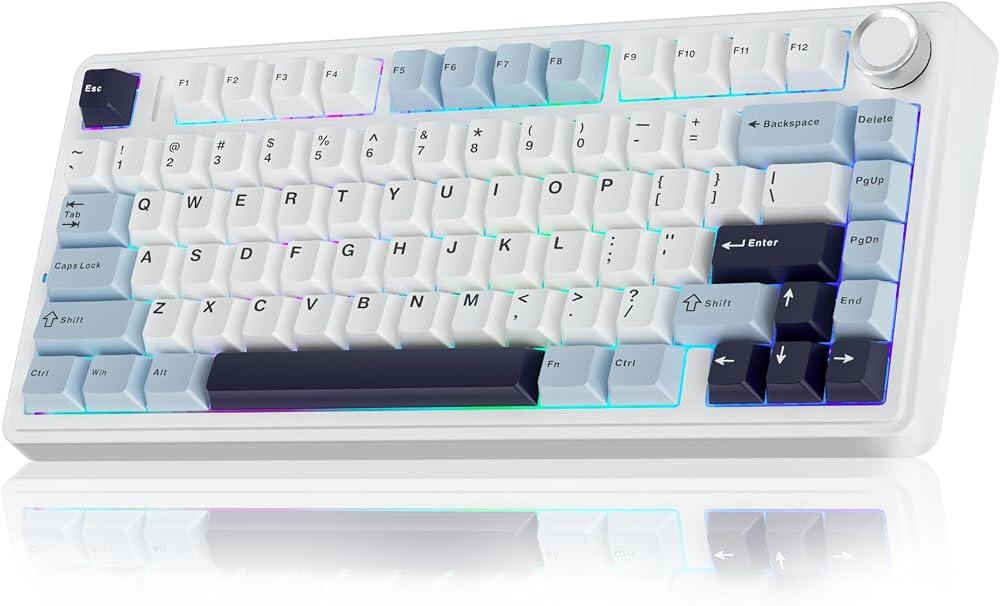 Deepest Thock Winner
Gasket-Mounted Wireless Mechanical Keyboard with Knob
“5-layer sound dampening gasket keyboard producing creamy 350Hz acoustic profile out of the box.”
 Best Low-Profile Tactile
Ultra-Slim Low-Profile Wireless Mechanical Keyboard
“Slim 75% mechanical keyboard with Gateron Moss switches and low acoustic resonance.”
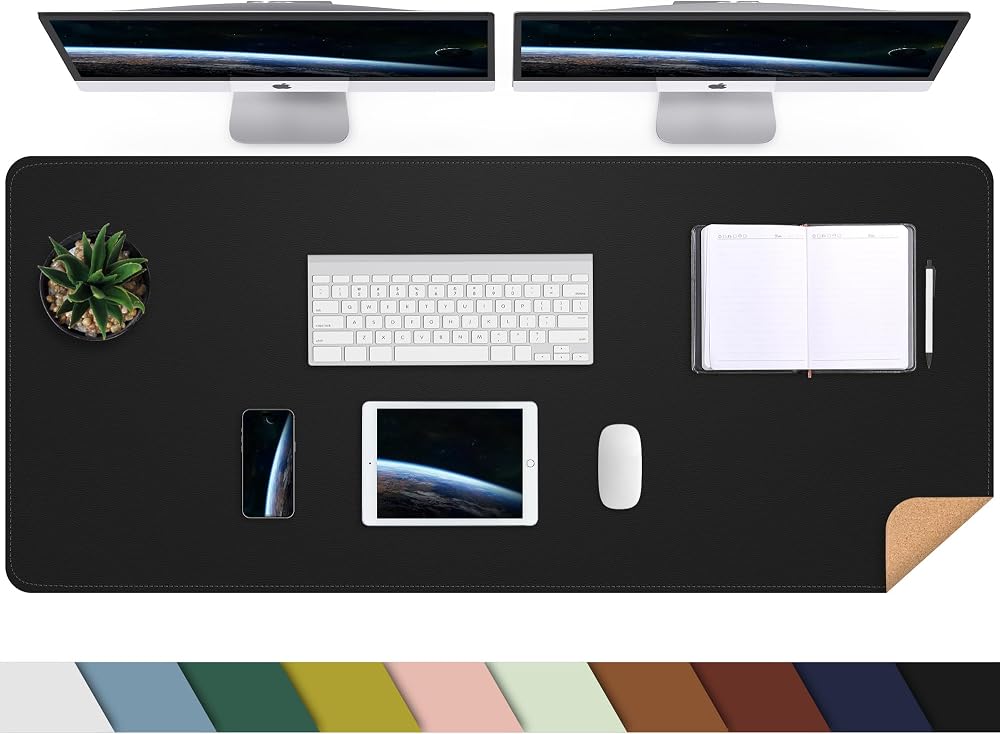 Essential Acoustic Mat
Dual-Sided Waterproof Leather Desk Pad (XXL)
“High-density natural felt dampens typing impact and eliminates table soundboard effect.”
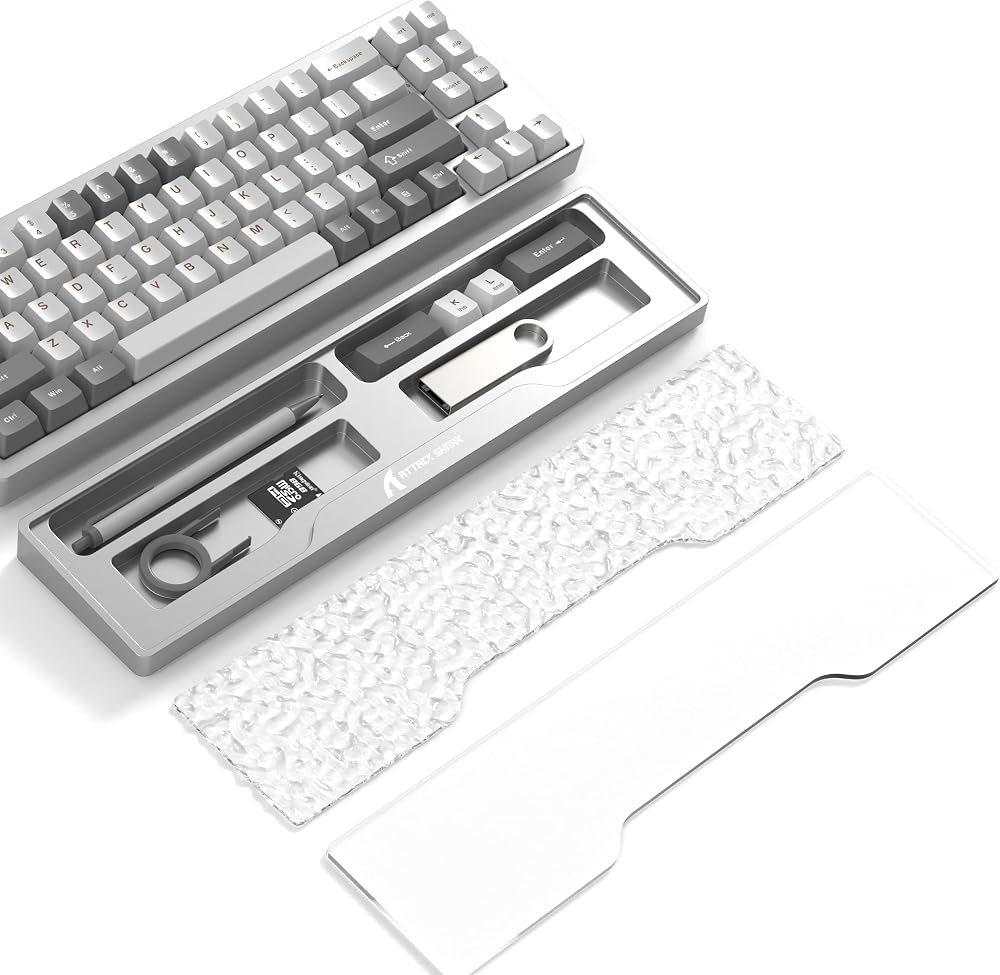 Wrist Fatigue Shield
Aerospace Aluminum Ergonomic Split Wrist Rest
“High-resilience foam rest keeping wrists in a neutral position to prevent median nerve compression.”
Expert Architectural Q&A
What is the main difference between "thock" and "clack" in mechanical keyboards?
"Thock" refers to a deep, bassy, low-frequency sound (200 Hz to 450 Hz) produced by dense switch plastics (nylon, POM), factory lubrication, and gasket dampening. "Clack" refers to a bright, higher-pitched sound (800 Hz to 2000 Hz) typical of thin ABS keycaps striking aluminum top plates without internal foam.
Which switch type is best for software development and typing speed?
Most software engineers prefer either smooth medium-weight linear switches (45g to 50g actuation) for effortless rapid keystrokes, or refined tactile switches (such as Gateron Baby Kangaroo or NuPhy Moss) for crisp physical feedback without loud clicky noise.
Does placing a desk mat under the keyboard actually change the sound?
Yes, significantly. Without a desk pad, a keyboard transfers kinetic energy directly into the desk tabletop, turning the desk into a hollow acoustic sounding board that amplifies high-frequency noise. A 4mm felt or leather desk pad absorbs these vibrations, dropping typing volume by 6 to 9 decibels.
Does a desk mat really change how a mechanical keyboard sounds?
Yes. Placing a 4mm felt or composite leather desk mat beneath the keyboard chassis absorbs structural vibration from the desk surface, lowering sharp high-frequency chatter by 4-7 dB and deepening perceived bottom-out pitch.
Are tactile or linear switches better for open offices and calls?
Pre-lubed linear or muted tactile switches paired with gasket mounting stay around 46-54 dBA, keeping typing clean and crisp without clipping speech on desk condenser microphones.
Official Literature & Benchmarks
Modern Trends Now architectural guides are synthesized from verified industrial standards, peer-reviewed ergonomic datasets, and international regulatory testing frameworks.
Model exact desk height, monitor load, mat sizing, and standing cable slack.
Open All 4 Desk CalculatorsContinue Reading Field Guides

Black Friday & Holiday 2026 Minimalist Desk Setup Gift Guide: Best Tech Upgrades Under $35, $75, and $150
Leather vs Suede: Material Science, Durability, and Desk Mat Performance Breakdown
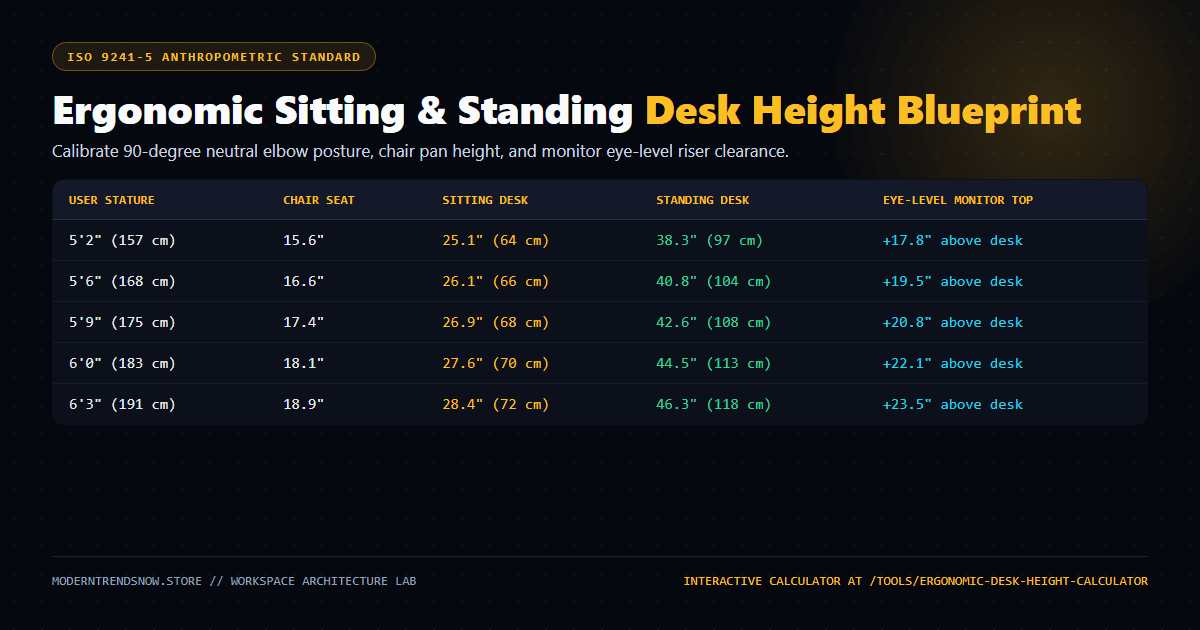
The 2026 Ergonomic Desk Height & Spatial Architecture Blueprint: Eliminate Neck Strain and Wrist Fatigue